November 12, 2026
How a wearable medical alarm can bring peace of mind on every outing
By @laterlifeguide
Heading out for a short walk, a trip to the shops, or a visit to a friend's place should feel safe and straightforward. For older adults, though, even a familiar route can bring up concerns: what if I feel unwell, what if I lose my way, what if I fall and can't get up? These worries are common and understandable. The good news is that a little advance planning, combined with a reliable way to call for help, can turn those concerns into confidence. This article walks through a practical checklist of things to consider before any outing, so that both seniors and their families can relax and enjoy the time apart.
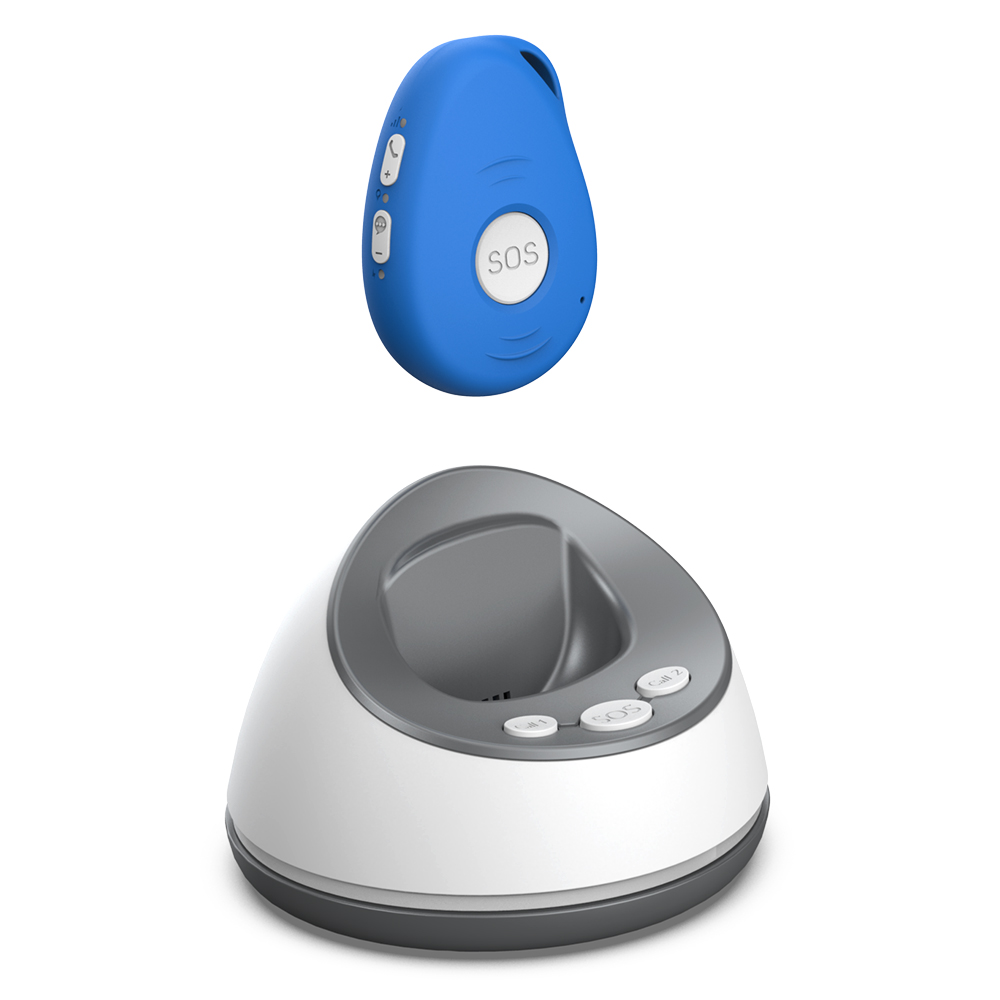
Before diving into the checklist, it helps to think about the core challenge: staying connected and being able to summon assistance if something unexpected happens. Many older adults already carry a mobile phone, but a phone can be dropped, left behind, or hard to operate in a moment of panic. That is where a dedicated wearable device, often described as an elderly GPS tracker, comes into the picture. These devices combine location tracking with a simple SOS button, and sometimes fall detection and two-way voice calling. The idea is that help is never more than a button press away, and family members can check in without hovering.
Before you step out the door
The best time to think about safety is before you leave. A few minutes of preparation can prevent most problems. Start with the weather and your own energy level. Is the pavement likely to be slippery? Will the sun or wind make you tired quickly? Adjust your plans accordingly. If the forecast is poor, perhaps shorten the walk or choose a sheltered route. Similarly, check that you have eaten and taken any regular medication. A low blood sugar level or a skipped dose can leave you feeling shaky halfway through your errand.
Next, check your device. If you use a wearable medical alarm or an elderly GPS tracker, make sure it is charged and switched on. Confirm that it has a clear view of the sky or, if indoors, that it can still connect to the mobile network. Many devices show a signal indicator. If the battery is low, charge it fully before going out. Also test the SOS button: press it briefly to see that the device responds, then cancel the test as instructed by the manufacturer. This simple check gives you confidence that the emergency function works when needed.
Tell someone your plan. A quick message to a family member or a trusted neighbour, saying where you are going and when you expect to be back, is a free and effective safety measure. If you are using a device with family monitoring, that person can already see your location on a map. But a verbal or text heads-up adds a personal layer of reassurance. If you do not return at the expected time, they know to check in.
On the move: staying aware and connected
Once you are out, the main goal is to enjoy the walk or errand without unnecessary risk. Keep your phone and wearable device easily accessible. If you carry a bag, put the device in a pocket that you can reach without fumbling. Many seniors prefer to wear a lanyard or a belt clip so the device is always at hand. The same goes for a mobile phone: keep it in a front pocket or a wrist pouch, not buried at the bottom of a backpack.
Pay attention to your surroundings. Look at the pavement for cracks, uneven slabs, or loose gravel. If you use a walking stick or a rollator, make sure the path is wide enough and free of obstacles. Cross roads only at designated crossings, and wait for the green signal even if the road looks clear. Drivers may not see you, especially if you are shorter or moving slowly. Wearing bright or reflective clothing helps, especially in the early morning or late afternoon.
Take breaks. There is no need to push through discomfort. If you feel tired, find a bench or a café to sit down for a few minutes. Use that time to check in with your family member via the device or a quick message. Many wearable medical alarms now include two way voice, so you can talk directly to a family member or a monitoring centre without needing to hold a phone. This is especially useful if you have limited hand dexterity or if the ambient noise is high.
If you do become confused about your location, do not panic. Stop walking and look around for a landmark or a street sign. If you cannot get your bearings, press the SOS button on your elderly GPS tracker. The monitoring service can see your exact geolocation and can either guide you back to a familiar route or send help. Some devices also allow a trusted family member to see your location in real time, so they can call you and talk you through the situation. This kind of location support for older adults means that getting lost is no longer frightening; it is just a moment that needs a little help.

Handling emergencies calmly
Even with the best preparation, things can go wrong. A fall, a sudden illness, or a medical event like a stroke or a heart rhythm problem can happen without warning. The key is to have a clear plan for what to do next. If you fall, try to stay calm. If you have a device with automatic fall detection, it will trigger an alert even if you cannot press the button. That alert goes to your family or a monitoring centre, who can dispatch help. If you are able, press the SOS button yourself to confirm the alert and speak to a responder.
If your device does not detect falls automatically, press the SOS button as soon as you can. Speak clearly into the two-way voice function. Tell the responder your name, what happened, and where you are if you know it. They will stay on the line until help arrives. If you cannot speak, the device still sends your location to the emergency services, who can find you using the GPS coordinates. In New Zealand, that means the 111 emergency services can be directed to your exact spot, even if you are in a park or on a quiet street.
For non-urgent events, like feeling lost or needing a ride home, the same device can connect you to your family. Many systems let you initiate a call that goes directly to a family member's phone. This is a great way to handle small problems without using emergency resources. It also means your family hears your voice and knows you are safe, which reduces their worry.
Returning home and reflecting
When the outing is over, take a moment to check in with yourself. Are you feeling okay? Do you need to rest or have a snack? Let your family know you are back safely, either through the device or a quick text. If you had any issues during the walk, note them down: a tricky curb, a busy intersection, a spot where the phone signal was weak. That information helps you plan better next time.
Also review how the device performed. Did the battery last the whole trip? Was the SOS button easy to find? Did the two-way voice work well? If something was not right, adjust your setup for next time. Maybe you need to charge the device more often, or wear it differently. The goal is to make the technology work for you, not the other way around.

This kind of location support for older adults is most effective when it becomes a natural part of your routine. You do not have to think about it every minute, but you know it is there if you need it. Over time, that awareness grows into genuine peace of mind. Seniors can maintain their independence, go where they want, and stay in touch with the people who care about them. Families can relax knowing that if something happens, they will be alerted quickly and can take action.
Final thoughts
A safe outing does not require a long list of rules. It requires a few simple habits: plan ahead, stay aware, use your device, and communicate with your family. The technology available today, from wearable medical alarms to elderly GPS trackers with fall detection and two-way voice, makes it easier than ever to stay safe without feeling tethered. The checklist above is a starting point. Adapt it to your own needs, your own routes, and your own comfort level. The most important thing is to keep moving, keep exploring, and keep enjoying the world outside your door.
❧